ViewSonic VP3881 Ultra-wide monitor review
- - IGN
Be sure to visit IGN Tech for all the latest comprehensive hands-on reviews and best-of roundups. Note that if you click on one of these links to buy the product, IGN may get a share of the sale. For more, read our Terms of Use.
A few years ago, the CES trade show was awash with the next big thing: Curved Displays. The theory behind them being that the curve fills more of your periphery and is therefore more immersive. The curve also focuses the viewing sweet spot to a single seat right in front of it, making it perfect for a monitor sitting on your desk.
Viewsonic has joined the party with its VP3881 (See it on Amazon), which is a 38" curved panel designed for professional grade color accuracy. It boasts a color-calibrated IPS panel, a USB Type-C port, and an expansive, curved panel. At around $1,200 it's pretty expensive, so let's see how it stacks up.

Design and Features
The VP3881 has an IPS panel, so color reproduction is great as are viewing angles (although you still want to avoid sitting off-axis with a curved display). Contrast ratio is good for an IPS display at 1000:1, but it inherently suffers in response time, as all IPS-type panels do. Typical gray-to-gray response time is a sluggish 14ms. There’s overdrive processing available in the menus that can bring that down to 7ms which is decent, but it will never compare to a TN panel. The max refresh rate is a run-of-the-mill 60Hz and there isn’t any support for FreeSync or G-Sync technology. The monitor is often marketed as a 21:9 aspect ratio display, but in reality its max resolution of 3840x1600 is 24:10.
The VP3881 is in Viewsonic’s Pro Video & Graphics category, and its design puts the focus on the screen. There are no flashy color accents or "spaceship" angles that you usually find on most gaming-centric monitors. It has an ultra-thin bezel around the sides and top with a 20mm black bar along the bottom. There are no buttons or lights anywhere on the front of the monitor to take your focus away from display. Even the etched Viewsonic badge is black and unobtrusively melds into the bottom bar. The stand is predominantly dark gray except the swivel base is gloss black.
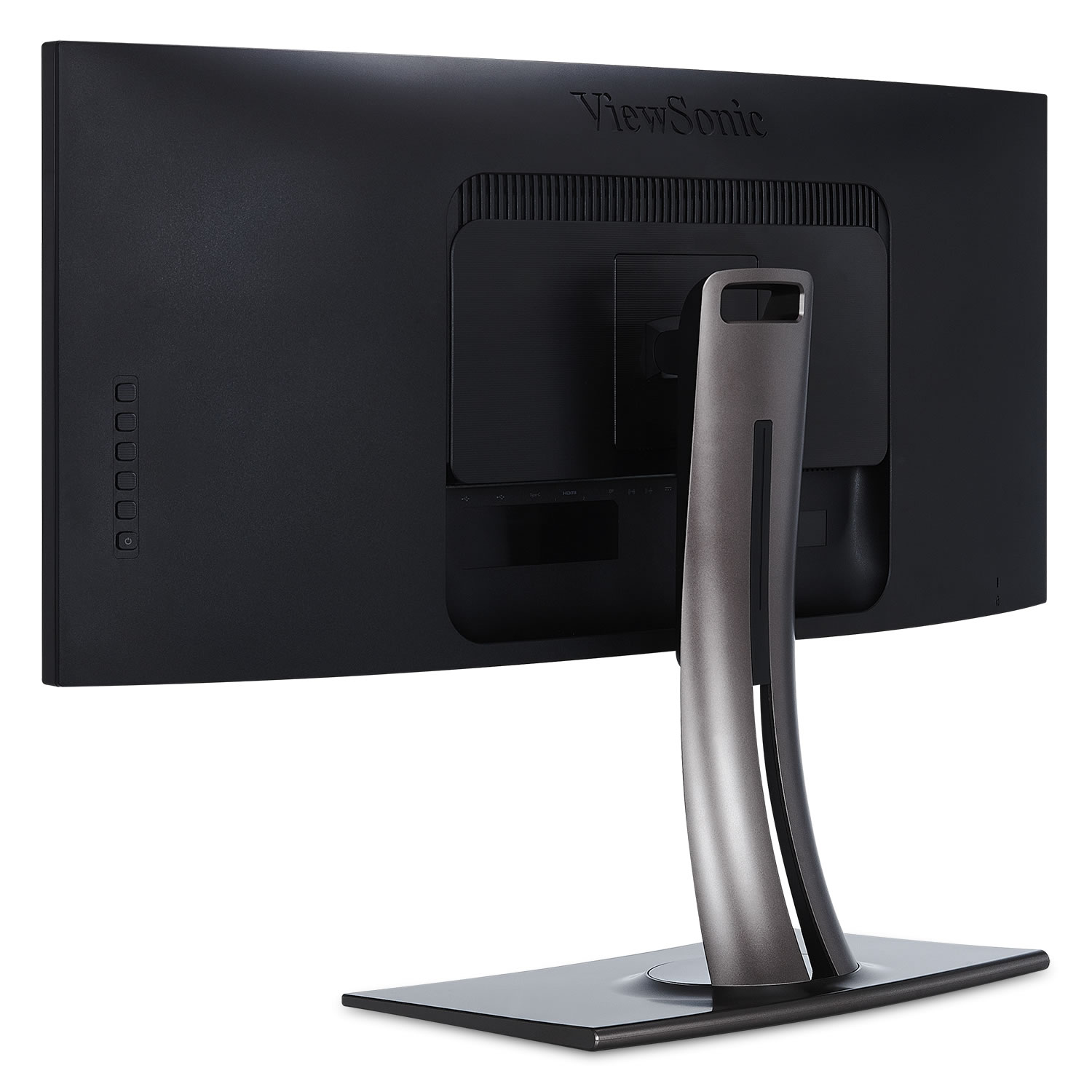
The monitor’s height, swivel, and tilt can be adjusted. The height range is 130mm, which puts the top edge of the monitor between 19.75 and 24.69 inches from the desk surface. The monitor has a 120-degree swivel range and can tilt forward 1 degree or back 21 degrees. The stand is solid and keeps the monitor secure. Each adjustment is smooth and easy to move. There is no pivot option, but you wouldn’t want to put a curved monitor into a portrait position anyway. The VP3881 is also VESA-compliant, so you can attach it to a monitor arm and get all the position adjustments your heart desires.
As mentioned earlier, there are no menu buttons along the front of the monitor. Instead there are six buttons on the back of the case along the right edge. Five are used for menu navigation and one is for power. In this position they can be frustrating to use. When you touch one, selections are brought up along the right side of the screen that line up with the physical button location. But I still found myself accidentally using the wrong button time and again. I resorted to counting down the row of buttons every time to ensure I was hitting the proper one.
A menu option that deserves its own paragraph is HDR10. More monitors are now touting HDR10, either that they’re an HDR monitor or compatible in some way. The VP3881 lists one of its features as “HDR10 Content Support.” To be clear, this is not a HDR monitor. Ideally an HDR display, although it doesn’t have a definitive specification yet, will have 1,000 cd/m2 (also called nits) brightness and a 10-bit color space. Currently available HDR monitors’ max brightness is around 400-500 cd/m2 but when paired with a low black level can still display a very good HDR picture. The VP3881 has 300 cd/m2 listed in its specs. For color space, the Viewsonic has 10-bit support. Sorta. It has a full 8-bit color space and uses FRC (Frame Rate Control) to bring it up to 10 bit with a process called dithering.
Dithering is when two colors are displayed side by side and fool your eye into seeing a combination of those two colors that the monitor can’t reproduce. What the VP3881 can do is decode and display a percentage of the HDR signal. Bottom line: If you’re looking to buy a monitor primarily for HDR, this isn’t the one for you, and you should probably wait a bit until more are available.
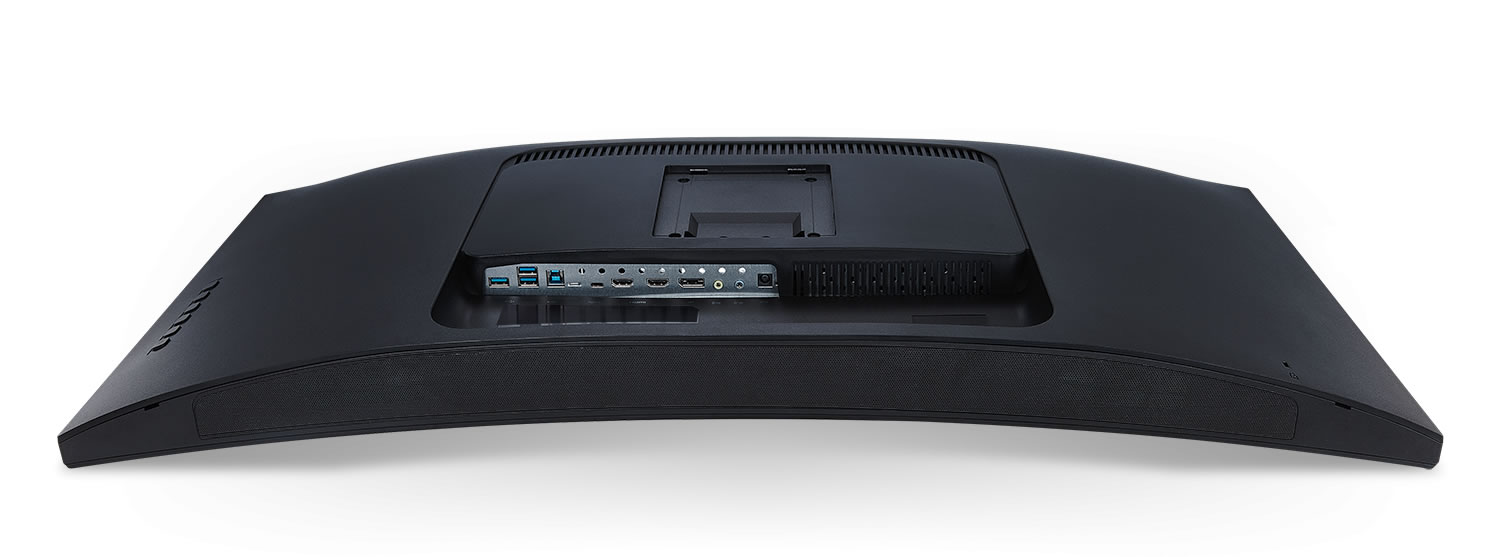
Viewsonic has its eyes on the future with the port selection provided on the VP3881. For video input there are two HDMI 2.0, a DisplayPort 1.4, and USB-C. There’s no DVI, but that’s okay because DVI wouldn’t be able to carry the max resolution of the monitor. There’s a USB 3.0 hub with three downstream ports that support charging. In addition there are two 3.5mm jacks – an audio in and audio out – for connecting speakers, headphones, or an external source.
There are internal speakers that sound as you’d expect – a bit thin and lacking low-end response. They’re fine for everyday use, but if you have the desk space you’ll get far more enjoyment with a set of inexpensive desktop speakers plugged into your computer.
Testing
The Viewsonic VP3881 is a factory-calibrated monitor with a DeltaE color accuracy of less than 2. At a DeltaE value of 3 you can start to see aberrations of color when comparing the screen image to a color-correct sample, so a value under 2 is excellent. The included calibration report showed that my specific monitor had an average DeltaE range of 0.56-0.69 depending on the preset (I primarily used sRGB which was 0.59). These are amazing numbers. I compared the VP3881 to my reference HP monitor with an average DeltaE of 0.66 and could see no difference in colors between the displays. The colors were relatively uniform across the Viewsonic with some very slight variance near the corners, but this variation took close inspection to pick out.
The monitor aced pretty much all of the Lagom monitor tests. All steps of the contrast test were visible with no large jumps in each color. The default sharpness setting of 50 gave the best image in the sharpness test. Gamma was consistently around 2.2. For the black level test, each square was distinguishable from the background as they were for the White Saturation test – although it’s right on the edge at 254. The gradient test is nice and smooth with no banding. Where the display falls short is in response time, although this isn’t unexpected from an IPS panel. In the Lagom Response Time test, the worst rows were the C and D that each fell between -60 and -25. B and E each had a very slight flicker with a rating right around -10.


